
Enable location
Turn on your device location services.
How fast is my train going? Measure your live train speed in km/h or mph using your phone’s GPS. No app, account or train number required.
Location stays on your device. Allow GPS access to begin.
Turn on your device location services.
Allow browser location access when asked.
Stay safely seated and read the live speed.
THE RAIL TRAVEL GUIDE
Understand your train’s speed, GPS reception and journey statistics, from departure to arrival.
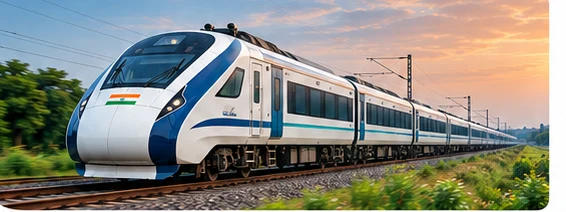
A train journey offers a different perspective on speed. From a local service that stops every few minutes to a high-speed express crossing the countryside, the view through a carriage window often makes it difficult to judge how fast the train is actually moving. TrainSpeedTest.live gives passengers a simple way to estimate that speed using a phone or tablet. Open the online train speedometer, allow location access and read the live result. You do not need to install an app, sign in, enter your train number or search a railway timetable. The tool measures the movement of your device rather than looking up a scheduled or advertised train speed.
When you press Start Speedometer, your browser asks whether the website may use location services. If your device provides a usable speed estimate, the tool converts that reading from meters per second to your chosen unit. If a native speed value is not available, the software can estimate speed using the distance between successive accepted location readings and the time between them. It rejects some inaccurate, stale or implausible readings and applies modest smoothing to reduce sudden fluctuations. The process runs in your browser. It is not a connection to a train control system or a railway operator’s live data feed. Even a well-filtered estimate can lag behind actual acceleration and braking, so the display should be treated as an approximate measurement.

Start the tool while seated safely in a carriage. Turn on location services on your device and allow your browser to access your location. A clear view of the sky, such as a window seat, can sometimes improve reception. Wait for the GPS status to indicate an active signal before interpreting the number. At a station the reading may settle close to zero, while on an open section of track it may increase as the train accelerates. Keep the page visible for more consistent updates. If you pause or stop the test, the active location watch ends. You can then save a summary of the journey on your device, reset the measurements or begin another test. Follow railway staff instructions and never move into a restricted area to improve GPS reception.
Railway speeds are commonly expressed in kilometers per hour, especially in countries that use the metric system. Miles per hour may be more familiar on some routes, including many passenger services in the United Kingdom and United States. The speed unit selector lets you switch between km/h, mph, m/s and knots without restarting a measurement. For example, a reading of 100 km/h corresponds to approximately 62.1 mph. This is a unit conversion, not a claim about the speed of any particular train. Choose the analog dial when you want to see changes in speed visually, or switch to the digital view when a large number is easier to read. The full-screen option reduces distractions on compatible browsers.
The maximum speed is the highest accepted speed estimate in the active session. It is not the design speed of the locomotive or the maximum speed permitted on a route. Average speed describes estimated distance divided by elapsed active trip time; station stops may lower it, even if the train reaches a high speed between stops. Distance is calculated from accepted changes in device location, not from the official length of the railway line. Curves, gaps in location updates and weak signals can make this estimate differ from actual track distance. Trip time counts active tracking periods and excludes time while tracking is paused. GPS accuracy indicates the estimated uncertainty of a position in meters, not a guaranteed error range for the speed reading. Consider all of these figures together rather than judging an entire trip by one brief maximum.

The same train speed test can be used on a regional train, suburban commuter service, long-distance express or high-speed train as long as the device receives useful location data. There is no need to choose a train model or enter a booking reference. Local trains often have frequent station stops, so average journey speed can be much lower than the speed reached between stations. On longer routes, a train may maintain a steady speed for extended periods before slowing for a junction, a station or a change in operating conditions. TrainSpeedTest.live does not identify the cause of a speed change or establish whether a train is running according to its timetable. It simply helps you observe the movement of your own device during the journey.
Tunnels, covered platforms, metal carriage walls and some coated windows can weaken the signals needed for a reliable location estimate. Devices may also fall back to less precise network-based positioning. If the GPS signal is weak, give the browser time to obtain another reading, verify that precise location is enabled where available and remain safely seated. A dash indicates that the tool does not have a usable current speed estimate. It should not be interpreted as a stationary train. If updates stop when you lock your screen or switch apps, reopen the page and resume the test. Browser permissions and operating system battery settings can also affect tracking. A lost signal cannot be repaired by the website, and the tool does not invent a speed to fill the gap.
The browser needs to load the page at least once. Cached resources may make it possible to reopen the website without a network connection on compatible devices, and some phones can obtain location fixes without mobile data. However, the operating system, browser and surrounding conditions determine whether location is actually available. A weak connection or a tunnel can interrupt service. Use the secure HTTPS address for the best chance of browser permission support. You should not expect uninterrupted offline measurements on every train or device.
There is no registration or train ticket upload. Location readings are processed locally, and saved trip summaries contain statistics rather than a route trace. You can clear those summaries from the browser or export them to a CSV file for personal use. The website is designed to answer a straightforward question: how fast is my train going right now? It is not an official train tracker, a prediction of your arrival time, or an instrument for railway operations. For delays, schedules, route restrictions or safety-critical decisions, consult the railway operator. Use this GPS speedometer as an informative companion to your journey, and remember that a measurement is only as reliable as the location data your device supplies.
Practical answers for railway passengers using the online GPS speed test.
Open the speedometer on a phone while on board, select Start Speedometer and permit location access. Once a usable fix arrives, the display estimates your present ground speed.
Yes. Use a compatible mobile browser on this website. There is no installation, registration or train number required.
The browser supplies a device speed estimate when available. Otherwise, accepted location fixes and their timestamps are used to estimate movement over time.
Accuracy depends on the device, signal quality and location updates. A clear view of the sky may help. The result is an estimate, not an official or calibrated train instrument.
Zero can mean the device is stationary or the test has not started. A dash means a usable speed reading is missing. Check GPS permissions and wait for a fresh fix.
Satellite reception can be interrupted underground. The tool marks unavailable readings rather than inventing a speed. A new valid fix can restore the display after the train emerges.
A previously cached page may open offline, and some phones can still obtain satellite fixes. This depends on the browser, device and reception; uninterrupted offline operation is not guaranteed.
Choose km/h or mph in the unit selector. The dial and trip speed statistics change units without restarting tracking. Meters per second and knots are also available.
Yes, provided your device receives usable location data while you travel. The site does not identify the train model or connect to its onboard speed system.
Maximum speed is the highest accepted estimate in the session. Average speed is the estimated distance divided by active tracking time, including stops while tracking is running.
No. It estimates the movement of the device in your carriage. For delays, train locations elsewhere, arrival times and timetables, use the railway operator’s official service.
The tool is free and does not require an account. The GPS calculations run in your browser. Saved trip summaries are stored locally when you choose to save them.